 Make It Pretty
Your AI designs.You make it pretty.
A free design app for Windows and Mac with a built-in MCP server. Claude Code, Codex, Cursor and Gemini open, draw and edit real design files, and you finish them on the canvas. No agent limits, no seats, no account.
Version 0.1.0. Signed installers for Windows 10 and 11, Apple silicon and Intel Macs.
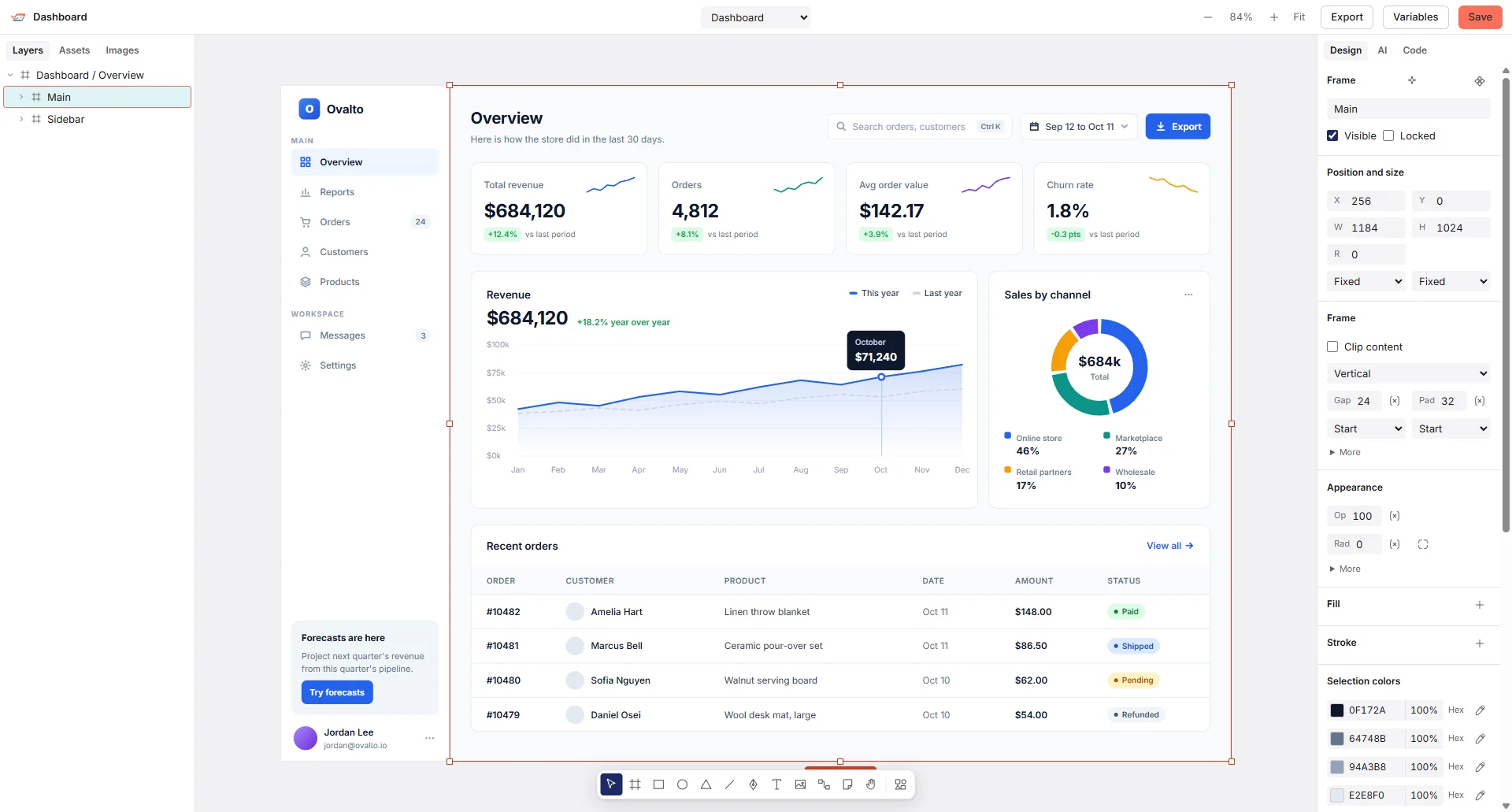
Make a sales dashboard for my store in Make It Pretty, then give me the React code
make-it-pretty: create_document
make-it-pretty: edit_design (sidebar, KPI cards, revenue chart, orders table)
make-it-pretty: check_layout
make-it-pretty: export_code (React)
Done. The design is open in Make It Pretty and the component is in src/Dashboard.tsx.
Works with the AI you already use
- Claude Code
- Claude Desktop
- Codex
- Cursor
- Gemini CLI
- Ollama
- OpenRouter
- Amazon Bedrock
- Google Vertex AI
- Microsoft Foundry
Let your agent design as much as it wants
Other design tools now meter AI agents. Make It Pretty doesn't count agent days, generations or MCP calls. You pay for your own AI plan, and that's all.
- pen.dev free plan
- 5 agent days a monthYour own Claude Code, Codex or Cursor sessions count toward them.
- Figma Professional
- 200 MCP calls a dayWriting to the canvas needs a Full seat, from $16 a month.
- Paper free plan
- 100 MCP calls a weekPro raises it for $16 per editor a month.
- Make It Pretty
- No limitEvery MCP tool, as often as your agent calls it, with or without the editor open.
Competitor limits are from their pricing pages in November 2026. See the full comparison for sources.
35 MCP tools, one local server
- Agents edit real files. They create documents, add frames, text, components and stock photos, check the layout and save. Their changes are outlined on the canvas until you accept them, and each one can be undone.
- You stay in charge. A new agent can only read until you allow its edits, and the activity log names every change it made.
- Works with the editor closed. Make It Pretty runs from the tray, so a coding agent can draw a screen while you're in your terminal.
- One click to connect. In the AI tab, open Settings and choose Claude Code, Claude Desktop, Cursor, Codex or Gemini CLI. The app shows the exact config change and backs the file up first.
Or add it by hand to any MCP client:
{
  "mcpServers": {
    "make-it-pretty": {
      "command": "C:\\Users\\you\\AppData\\Local\\Programs\\Make It Pretty\\resources\\bin\\makeitpretty.exe",
      "args": ["--mcp"]
    }
  }
}
On a Mac the command is inside the app: /Applications/Make It Pretty.app/Contents/Resources/bin/makeitpretty
AI inside the app, on your own plan
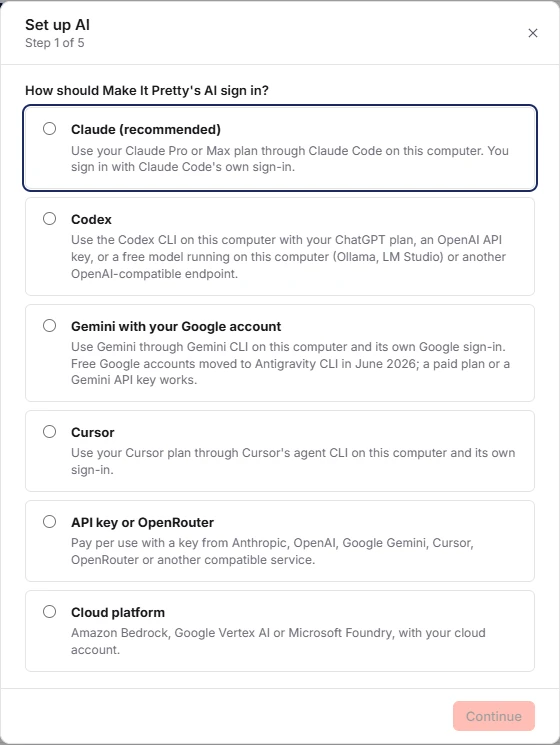
Ask for a screen or select layers and ask for a change. The AI tab signs in the way you already pay for AI, and a five-step setup walks you through it.
- Claude Pro or Max through Claude Code's own sign-in on your computer.
- ChatGPT through Codex, or an OpenAI API key.
- A free local model with Ollama or LM Studio. Nothing leaves your computer.
- Gemini, Cursor, OpenRouter or a cloud account on Bedrock, Vertex AI or Foundry.
Bring your files with you
Open the work you already have, then keep going with any agent you like.
From Figma
Open .fig files directly, paste frames copied in Figma, or import a file through the Figma API. Layers, text, components and pictures come across.
From pen.dev
Open .pen files with pen.dev installed on the same computer. Make It Pretty reads them through pen.dev's own app.
SVG and pictures
Drop in SVG, PNG, JPEG and WebP. SVG becomes editable vector paths.
From design to code
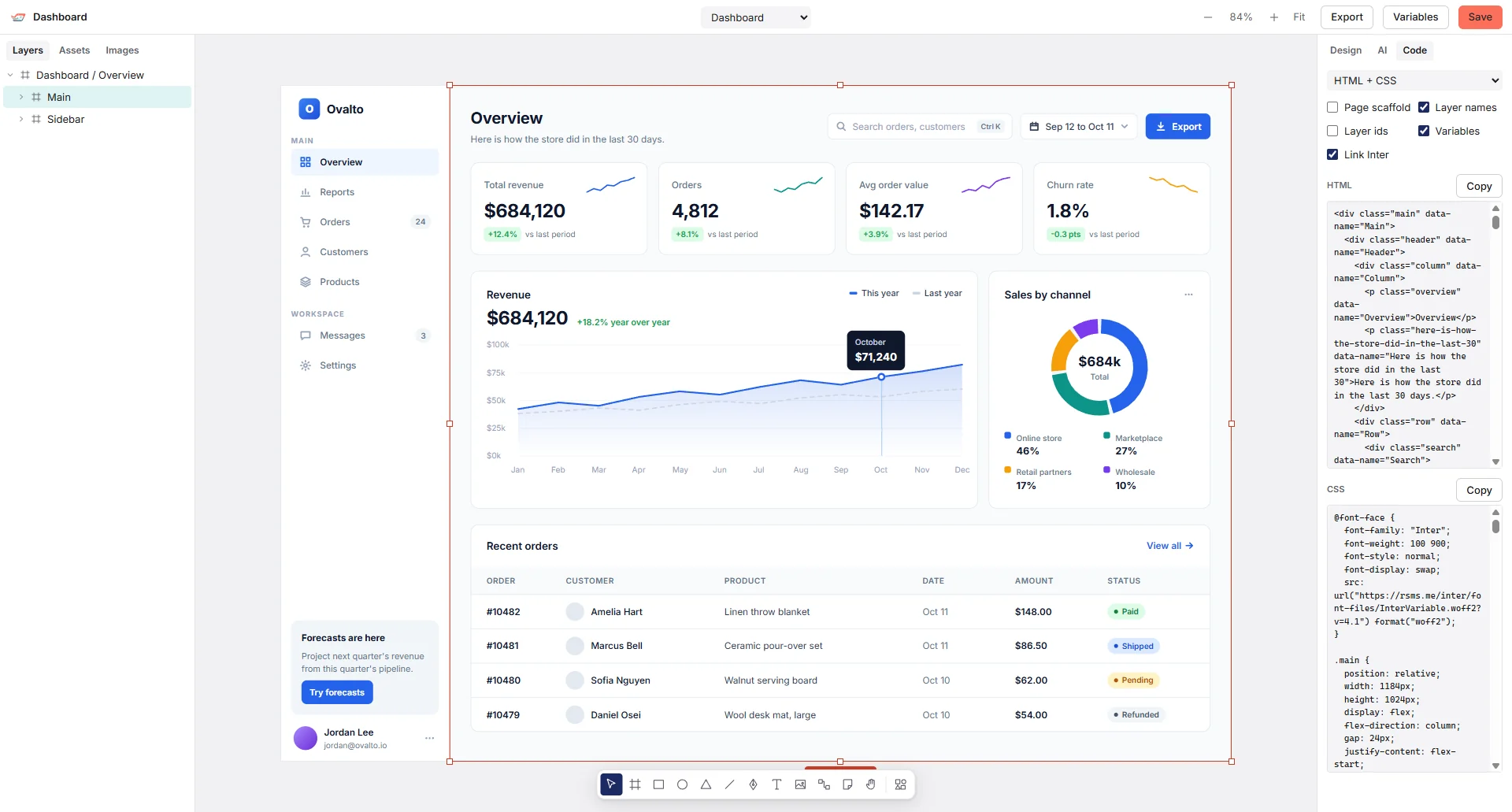
Select any frame and the Code tab writes it as HTML with CSS, HTML with Tailwind, or a React component. Your colors and sizes come out as CSS variables or a Tailwind theme.
- Export pictures as PNG, SVG, PDF, JPEG or WebP at any scale.
- Agents get code too. The same export is an MCP tool, so your coding agent can build the screen it just designed.
A full design tool, not a demo
Everything you'd expect to draw with, and a few things you wouldn't.
-
Components and variables
Reusable components with overrides, and color, number and text variables with light and dark modes.
-
Auto layout
Rows, columns and wrapping with gap, padding, alignment and hug or fill sizing.
-
Pen tool and vectors
Draw paths with curve handles, then edit them point by point. Connectors and sticky notes too.
-
Free stock photos
Search Pixabay and Pexels together for photos and illustrations, using your own free keys.
-
Templates and style guides
Start from a landing page, dashboard, mobile app, slide deck or social set, or add a ready style guide.
-
Icons
Search the full Lucide icon set and drop icons in as editable vectors.
-
Slides
Build a deck on the canvas and present it full screen.
-
Shader fills and script layers
Shader fills such as aurora, grain gradients and halftone, and script layers that draw charts, clocks and gauges from data.
-
Files that diff
.mkip files are plain text with one layer per line, so a design change reads like a code change in git.
-
Snapping and guides
Moving, resizing and drawing snap to nearby edges and centers with guides, plus an optional pixel grid.
-
Private by default
No account, no cloud and no telemetry. Your designs stay on your computer.
-
Updates itself
Signed and notarized installers, with updates checked against their signatures before they install.
Download Make It Pretty
Free. Version 0.1.0.
Windows
Windows 10 or 11, 64-bit. Installs for your user, no admin rights needed.
Download for WindowsAll files and release notes are on GitHub.